Ver categorias
Explorar
Fiverr Pro
Português
$
USD
Marrocos
6 pedidos finalizados
Alparslan
Are you still tracking your computers and software licenses in an Excel sheet? It's time to professionalize your IT department.
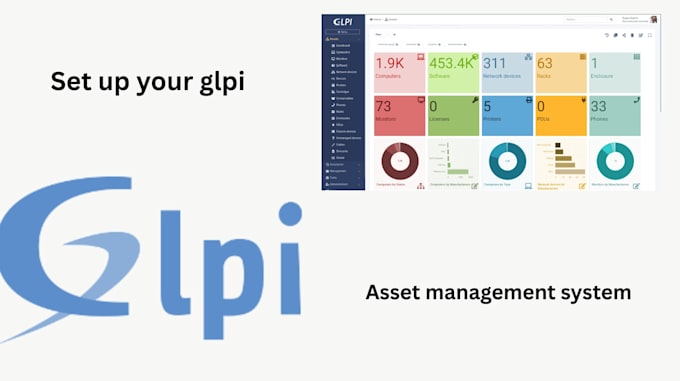
I will install and configure GLPI, the #1 Open Source Service Management software. I help businesses track every computer, printer, and license while managing support tickets efficiently.
What I Offer: GLPI Installation: Latest stable version on Ubuntu, CentOS, or Windows Server. Auto-Inventory: I set up OCS Inventory or FusionInventory to automatically scan your network and import device details. Helpdesk System: Configure the ticketing interface for user support. User Sync (Premium): Connect GLPI to Active Directory (LDAP) so users log in with existing passwords. Notifications: SMTP setup for email alerts on new tickets.
Supported OS:
Why choose me? I am an experienced System Administrator. I don't just "run the installer"; I secure the web server (Apache/Nginx), configure the database, and ensure the system is production-ready.
️ Requirement: I need SSH or RDP access to your server.

What are the server requirements for GLPI?
A Linux VPS (Ubuntu 20.04/22.04 or CentOS 7/8) is recommended for best performance. It also works on Windows Server. You need at least 2 CPU cores and 4GB RAM for a smooth experience.
Can you install this on Shared Hosting (cPanel)?
It is possible, but not recommended. Shared hosting often limits the background tasks (Cron jobs) needed for automatic inventory updates. A dedicated VPS (DigitalOcean, AWS, Contabo) is much better.
How does the "Auto-Inventory" work?
I install a small agent (FusionInventory or OCS Inventory) on your computers. This agent scans the hardware/software and sends the data to your GLPI server automatically. No manual typing is required!
Can I log in using my Windows Active Directory (AD) users?
Yes! In the Premium Package, I configure the LDAP connection. This allows your employees to log in to the Helpdesk using their existing company passwords.
Do I need to provide a domain name?
It is not required, but highly recommended. If you have a domain (e.g., support.yourcompany.com), I can set up a secure HTTPS connection (SSL). If you only have an IP address, the site will still work, but without the green lock icon.
How do I give you access to the server?
I will need SSH access (for Linux) or RDP/AnyDesk (for Windows) with Administrator privileges.
