Ver categorias
Explorar
Fiverr Pro
Português
$
USD



Tradução automática
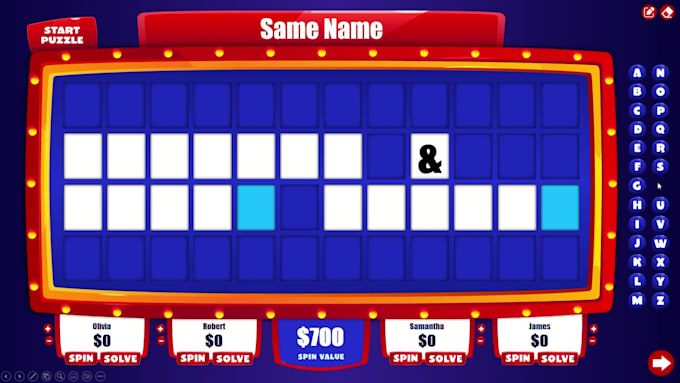
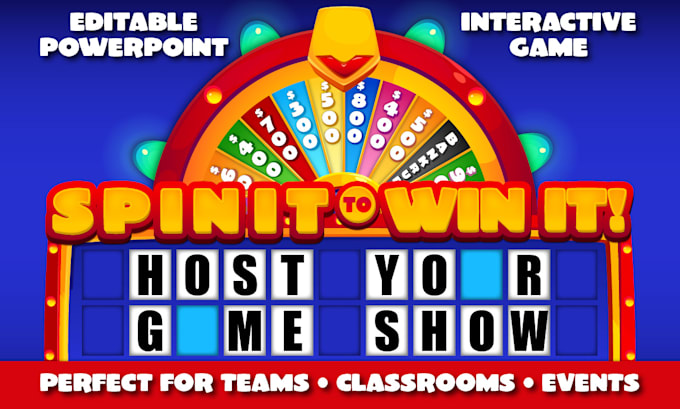
Transforme qualquer evento em um emocionante show de talentos no PowerPoint com meu modelo Spin It To Win It! Criado para 2-4 jogadores ou equipes, esse jogo rápido e interativo é perfeito para dinâmicas de equipe, sala de aula, escritório, família e eventos virtuais em grupo.
Recursos
Opções de personalização
Compatibilidade
Apenas uso pessoal. Uso comercial, revenda, redistribuição ou compartilhamento de arquivos não são permitidos.
Expert PowerPoint Game Designer
Idiomas
Tradução automática
Tradução automática
O jogo é fácil de configurar e jogar?
Sim! Este jogo interativo em PowerPoint é bem simples de usar – basta abrir o arquivo e ativar as macros. Um vídeo curto mostra como jogar e adicionar quebra-cabeças personalizados, e estou à disposição para responder qualquer dúvida rapidamente.
Posso jogar esse jogo presencialmente ou virtualmente?
Com certeza. É perfeito tanto para eventos presenciais (salas de aula, dinâmicas de equipe, festas) quanto para jogar virtualmente no Zoom, Skype ou outras plataformas de compartilhamento de tela.
Quantos jogadores podem jogar?
Este jogo em PowerPoint inclui um placar automático para até 4 jogadores ou equipes. Você pode facilmente adaptá-lo para grupos maiores dividindo em times.
O jogo inclui música e efeitos sonoros?
Sim! Este jogo interativo em PowerPoint vem com música e efeitos sonoros no estilo game show. Você pode escolher entre Som Normal, Baixo ou Sem Som, dependendo do seu evento ou público.
Posso adicionar meus próprios quebra-cabeças?
Sim! É bem fácil colocar seus próprios quebra-cabeças de palavras, assim você pode usar o jogo várias vezes se quiser. Um vídeo curto mostra como adicionar quebra-cabeças personalizados.
Quais são os requisitos de tecnologia?
Este modelo de jogo em PowerPoint funciona melhor com Microsoft PowerPoint (Office 365). Não é compatível com versões mais antigas, Mac, Keynote ou Google Slides. Macros precisam estar ativadas para o placar e a revelação de letras. Uma versão sem macros está disponível com recursos limitados – entre em contato para mais detalhes.
Posso ter um tema ou marca personalizada?
Com certeza! Eu ofereço um pacote extra para cores personalizadas e um nome personalizado. Se você estiver procurando por um tema ou design único, envie suas ideias que eu faço um orçamento.
Posso ter um tipo de jogo diferente ou um jogo totalmente personalizado?
Sim! Eu posso criar jogos de PowerPoint totalmente personalizados, feitos sob medida para o seu tema, formato ou regras. Entre em contato comigo para uma oferta personalizada e preços.