Ver categorias
Explorar
Fiverr Pro
Português
$
USD
Especialista em ZOHO e GoHighLevel PMS
Quanto tempo sua equipe leva para transformar uma visita ao site em um número que o cliente possa ver? Se a resposta honesta for "um ou dois dias", isso não é um problema do JobTread. É um problema de configuração
e é aí que eu entro!!
PROVA:
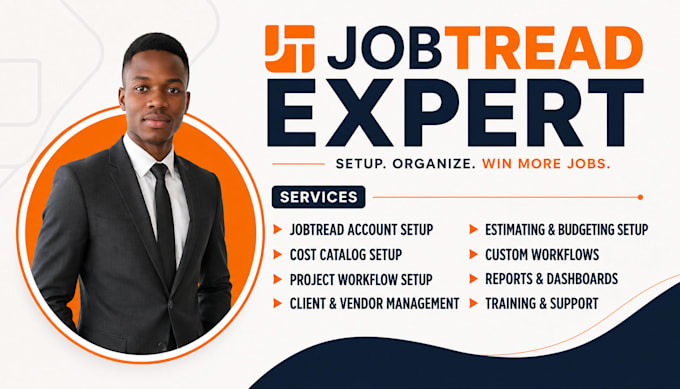
O QUE EU CONSTRUO:
Primeiro, mapearei seu gargalo, depois seguimos para a construção

Setor:
Arquitetura e Design de Interiores
•
Construção
•
Imobiliário
Software:
Outros
Tradução automática
Você pode limpar meus dados do QuickBooks antes de sincronizá-los com o JobTread?
Com certeza. Sincronizar dados "lixo" só gera mais trabalho depois. No pacote Premium, faço uma auditoria de dados para garantir que seu Plano de Contas e códigos de custo no QuickBooks/Zoho Books estejam perfeitamente alinhados com o JobTread antes de apertar o botão de "sincronizar".
Minha equipe de campo realmente vai conseguir usar isso ou é muito complicado?
Essa é a maior preocupação da maioria dos GCs. Eu foco em Visualizações de Campo Simplificadas. Configuro a interface móvel para que sua equipe veja apenas o que precisa (tarefas, logs diários, controle de tempo) sem se perder nos detalhes financeiros do backend.
Venho do Buildertrend/CoConstruct — você consegue migrar meus dados antigos?
Sim. Transição é minha especialidade. Ajudo a exportar seus dados históricos (fornecedores, clientes, listas de preços) e mapeá-los para a estrutura do JobTread, para que você não perca seu histórico de negócios.
Como posso saber se meus "Códigos de Custo" estão configurados corretamente para custos de trabalho?
Códigos de custo genéricos levam a vazamentos de lucro. Durante nossa sessão de Descoberta (Básico), reviso seu tipo de serviço (reforma, telhado, etc.) para garantir que seus códigos permitam rastrear exatamente onde cada dólar de mão de obra e material está indo.
O JobTread consegue lidar com contratos "Custo Mais" ou só preço fixo?
Ele lida com ambos de forma brilhante. Configuro seus modelos de orçamento para calcular markups com base no seu tipo de contrato, garantindo que suas "Allowances" e "Change Orders" sejam transparentes para o cliente, mas lucrativos para você.
Preciso pagar pelos meus subcontratados para terem acesso?
Não! Uma das melhores funcionalidades do JobTread é o Portal de Fornecedores gratuito. Configuro seu sistema para que você envie pedidos de proposta e ordens de compra para os sub, e eles possam fazer upload de faturas/fotos sem precisar de uma licença paga.
Podemos automatizar o processo de "Lead para Orçamento"?
Sim. Posso configurar um formulário de captação de leads personalizado para seu site que alimenta diretamente o JobTread. A partir daí, podemos automatizar lembretes de tarefas para seu vendedor garantir que nenhuma proposta fique parada.
Você consegue montar "Planilhas de Seleção" personalizadas para meus clientes?
Sim. Crio propostas interativas onde seus clientes podem escolher seus acabamentos (azulejo, pintura, acessórios). Quando clicam em "Aprovar", o orçamento e o preço se atualizam automaticamente, economizando horas de entrada manual de dados.
Como funciona realmente o assistente de estimativa de IA?
Eu conecto seu Catálogo de Custos do JobTread a um sistema de IA via API. Você descreve o serviço — por nota de voz ou texto — e o assistente busca nos seus dados reais do catálogo para gerar uma estimativa estruturada. Pode ser entregue através de um widget de chat no seu site ou pelo Claude Desktop.
A IA se integra diretamente com minha conta do JobTread ou é uma ferramenta separada?
Ela se conecta aos seus dados do JobTread através da API, então as estimativas que ela gera são feitas a partir dos seus itens de custo reais, margens e taxas de mão de obra — não números genéricos. A interface fica fora do JobTread, mas o resultado reflete a lógica do seu catálogo real.
