Ver categorias
Explorar
Fiverr Pro
Português
$
USD





Tired of monthly SaaS fees or risking sensitive financial data on third-party cloud converters?
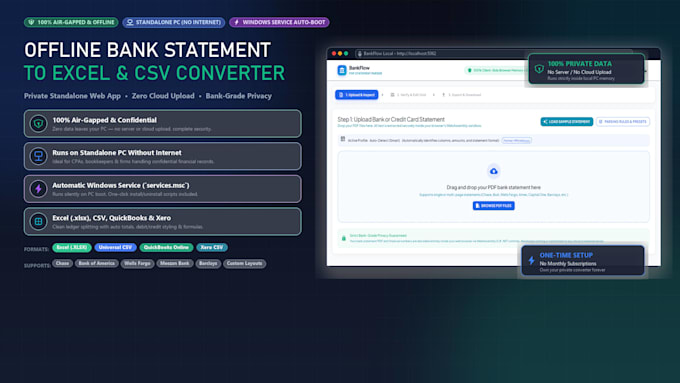
Get a 100% PRIVATE, OFFLINE PDF TO EXCEL & CSV CONVERTER web app, engineered to run locally on your Windows PC. Ideal for CPAs, accountants, and businesses.
100% AIR-GAPPED PRIVACY: Runs entirely offline with zero cloud uploads or telemetry. Your data never leaves your computer.
KEY FEATURES:
WHAT YOU GET:
FREE SAMPLE: Send me a 1-page sample PDF (blur sensitive info) and get a free parsed Excel preview before ordering!
Expert NET Core API and Full Stack Developer Blazor C sharp Specialist
Idiomas
Does this application require an active internet connection?
No! It is 100% offline. Once installed on your machine, it runs without an internet connection—even on completely air-gapped computers. Zero data is ever uploaded to any cloud server.
What is the benefit of running this as a Windows Service?
A Windows Service runs silently in the background and starts automatically every time your computer boots up. You don't have to keep an open command prompt window, and the app is always instantly available in your browser at http://localhost:5062/
Can I change the port if port 5062 is already in use on my PC?
Yes! Open the included `settings.json` file in Notepad, update `"Port": 5062` to your preferred port (e.g., `8080`), save, and restart the service via `services.msc` or the restart script.
Can other team members in my office access the application?
Yes! By setting `"Host": "http://*"` in `settings.json` and adding a local firewall rule (instructions included in the guide), anyone connected to your office Wi-Fi or local area network (LAN) can access the converter from their browser using your machine's IP address.
What if my bank statement has a messy layout with multi-line descriptions?
The engine uses coordinate-based spatial bounding-box text extraction that merges multi-line merchant descriptions and aligns debit and credit columns. If your bank has an unusual layout, choose the Standard or Premium package, and I will tune the parser specifically for your statements.
Can I review and edit transactions before exporting?
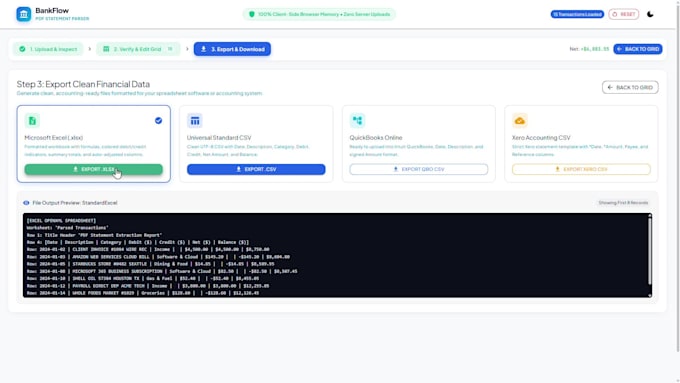
Yes! BankFlow includes an interactive data grid where you can search, filter, edit transaction descriptions, adjust amounts, add missing records, or delete rows with real-time KPI cash-flow balancing before exporting.
How do I uninstall it if I ever need to?
Right-click `uninstall-service.bat` and select "Run as administrator". It stops the service and unregisters it from Windows cleanly in 2 seconds.