Ver categorias
Português
$
USD
Conecte-se à sua IA
programmer
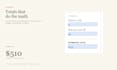
Your form is a flat PDF that people print and fill by hand? Make it one they can fill on any device, with calculations that do the math.
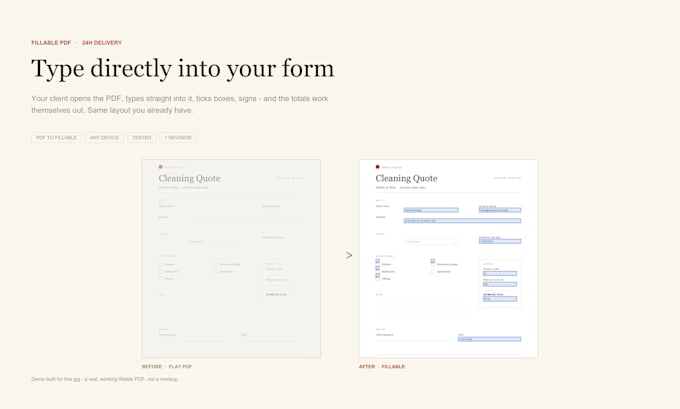
I add working fields to your existing form: text boxes, dropdowns, checkboxes, signature fields and calculated totals. It looks exactly like your original and still prints the same.
WHAT YOU GET
- Fields aligned to your layout, nothing shifts
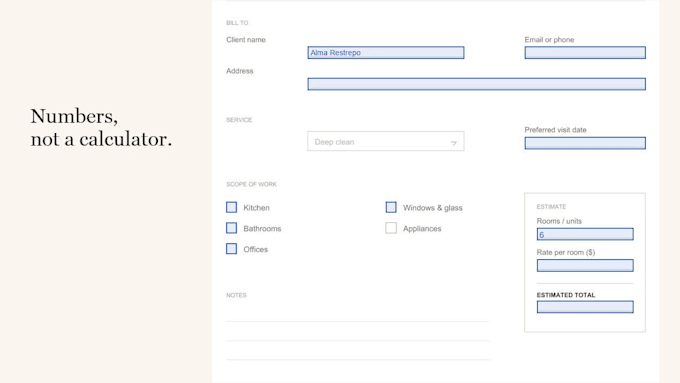
- Calculations that update as the buyer types: totals, tax, discounts
- Validation: required fields, number ranges, clear error messages
- Tab order and clean field names
- Tested in Acrobat, Chrome, Safari and on mobile
WORKS FOR
- Client intake, application and consent forms
- Quotes and order forms with totals
- Rental, inspection and scanned paper forms
HOW IT WORKS
1. Send the file and tell me what each field should do
2. I send a test copy for you to click through
3. You check it, I adjust, you get the final file
GOOD TO KNOW
- I only add fields. I never change your text, numbers or content.
- I do not sign for anyone. I add signature fields so the right person can.
- Never send your password. An unlocked copy is all I need.
Not sure it can be done? Message me the file first.
Converter de:
Converter para:
Can you make my scanned paper form fillable?
Yes. I rebuild the fields on top of your scan, so it looks identical and still prints the same. Clean 300dpi scans work best.
What kind of calculations can you add?
Totals, subtotals, tax, discounts and simple conditional values. Tell me the formula in plain words and I will build it into the form.
What does validation mean?
Required fields, number ranges, date formats and clear error messages, so buyers cannot submit a half-filled form.
Will the form still look the same when printed?
Yes. I do not redesign it. Fields sit on top of your original layout and stay invisible on paper.
How many fields are included?
15 fields on 1 page (Basic), 45 fields on 3 pages (Standard), 75 fields on 5 pages (Premium). Need more? There is a $10 add-on for 10 extra fields.
Does it work on phones and in browsers?
Yes. I test every form in Adobe Acrobat, Chrome, Safari and on mobile before delivery.
Can you sign the document for me?
No. I add signature fields so the right person can sign. I never sign or alter documents on someone's behalf.
Do you need my password or account?
No. Please never share passwords. Send an unlocked copy of the PDF and that is all I need.
My form is an Adobe LiveCycle / XFA form. Can you work on it?
XFA forms cannot be edited safely, so I would rebuild it as a standard fillable PDF. Message me the file first and I will confirm.
What if my form needs logic you cannot do?
Message me the file before ordering. I will tell you honestly whether it can be done, and what it would take.