Ver categorias
Explorar
Fiverr Pro
Português
$
USD
Document Data Conversion and Spreadsheet Formatting
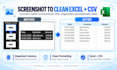
I will convert PDFs, scanned documents, screenshots, and images into clean, organized Excel and CSV files. Your data will be carefully structured, formatted, and reviewed for accuracy, with multi-page and batch file support available.



Converter de:
Converter para:
XLS, XLSX
What file types can you work with?
I can work with PDFs, scanned PDFs, screenshots, PNGs, JPGs, and other image-based documents containing tables or structured data.
What formats will I receive?
I can deliver your converted data in Excel (.xlsx) and CSV format.
Can you work with scanned or image-based PDFs?
Yes. I can extract and organize data from scanned documents and image-based PDFs, not just selectable-text PDFs.
Can you handle multiple files at once?
Yes. I can process multiple files in one order and organize the results into one workbook or multiple sheets when needed.
Will the spreadsheet be formatted?
Yes. The final spreadsheet can include clean headers, readable column widths, organized tables, and consistent formatting.
What if some information in my document is unclear?
If something appears unclear or suspicious, I will flag it for review rather than guess.
Can you combine multiple pages into one spreadsheet?
Yes. Multi-page documents can be combined into one organized spreadsheet when the data follows the same structure.
Can different types of tables be separated?
Yes. If your files contain different table structures, they can be organized into separate Excel sheets.
Do you manually review the results?
Yes. The output goes through quality checks for issues such as missing values, unusual formatting, and inconsistent rows.
Should I contact you before placing a large order?
Yes. For unusually large, complex, or mixed-format batches, sending a message first can help make sure the scope and delivery time are appropriate.


