Ver categorias
Português
$
USD
Conecte-se à sua IA
Microsoft 365, Entra ID and Endpoint Security Specialist
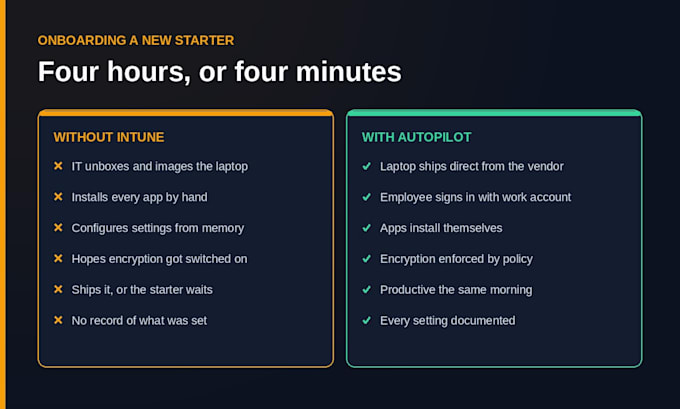
e your device count and licence type and I will tell you straight.If you are still setting up new laptops by hand, imaging them, installing software one by one and hoping everyone turned on encryption, you are doing work Microsoft already paid for in your licence.
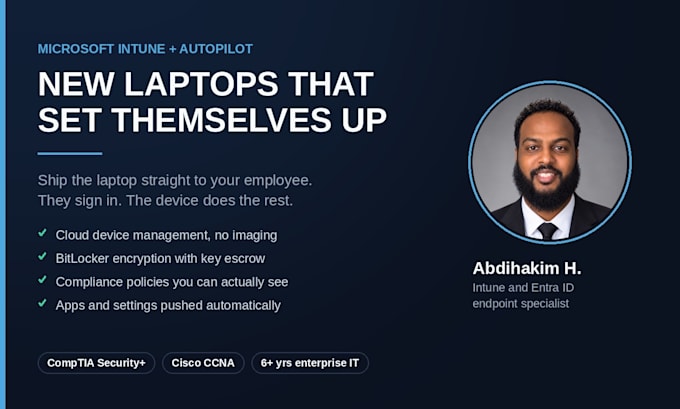
Intune manages your Windows machines from the cloud. Autopilot takes it further: a new laptop ships straight to your employee, they sign in with their work account, and the device configures itself.
WHAT I SET UP
WHAT YOU GET BACK
A working setup, plus written documentation of every policy and why it is there, so you are not locked into me to change it later.
WHO I AM
Six years in enterprise IT, most recently the Tier 2/3 escalation point for a global manufacturing environment. Intune, Entra ID, Autopilot and Active Directory a



Dispositivo:
Desktop
•
Notebook
Sistema operacional:
Windows
Do I need a specific Microsoft licence for this?
Yes - Intune is included in Microsoft 365 Business Premium, E3 and E5, or you can buy it standalone. If you are on Business Standard it is not included and you will need to add it. Message me your current licence before ordering and I will confirm, so nobody wastes an order.
Will my staff lose access or have to reset their laptops?
No. Existing machines are enrolled in place and keep their files and apps. Autopilot only applies to new or freshly reset devices going forward. I roll policies out to a test device first and confirm it behaves before anything touches the rest of your fleet.
What access do you need, and do you keep it afterwards?
I need an Intune Administrator account in your tenant for the duration of the work - not Global Admin. You revoke it the moment the job is signed off, and I will remind you to do it. Your tenant, your data, your keys. I never ask for a password in chat.