Ver categorias
Português
$
USD
Conecte-se à sua IA



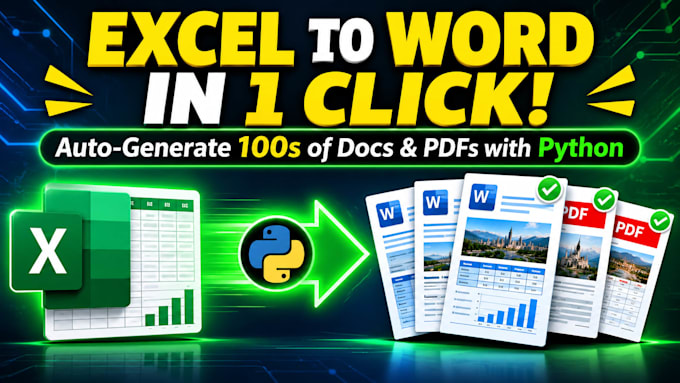
Stop wasting hours copy-pasting data from Excel into Word! I will build a custom Python script to auto-generate Microsoft Word documents (.docx) and PDF reports directly from your Excel spreadsheets, CSV files, or databases in seconds.
Perfect for contracts, invoices, certificates, audit logs, real estate listings, and monthly activity reports!
What my Python document automation includes:
- Excel/CSV to Word: Automatically populate Word templates with text, dates, and calculations.
- Dynamic Tables & Lists: Generate multi-row tables inside Word that expand automatically based on your data.
- Automatic Image Insertion: Insert, crop, and resize photos, logos, or signatures into exact placeholders.
- Bulk PDF Conversion: Export hundreds of generated Word files into clean, ready-to-send PDFs with 1 click.
- No-Code Execution: Receive a simple 1-click executable (.exe) or clean Flask web interfaceno programming skills needed!
Why work with me?
- Clean, fast, and 100% accurate Python code (docxtpl / python-docx)
- Clear step-by-step usage instructions
- Complete data privacy guaranteed
Message me with your sample Word template and Excel file before ordering!
From imagination to stunning AI creations
Idiomas
Do I need to install Python or know how to code to generate my documents?
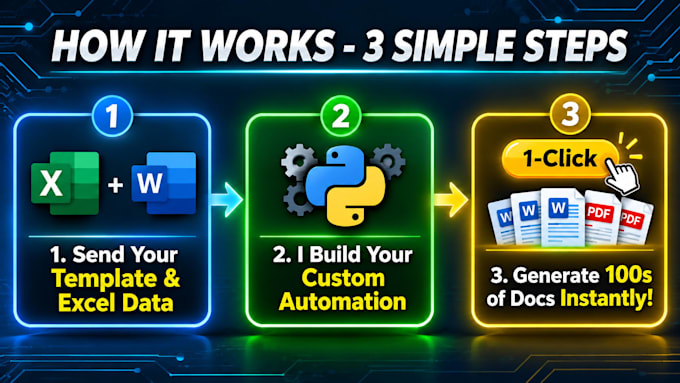
No! I provide a super easy guide, and I can package the tool into a 1-click standalone program (.exe) or a clean local web interface (Flask) where you just select your Excel file, click a button, and get all your Word/PDF documents instantly.
Can the script insert dynamic tables and resized images into the Word file?
Yes! Unlike basic mail merge, my Python scripts can dynamically build multi-row tables, apply conditional formatting, and insert/resize multiple photos or signatures directly into your Word template without breaking the layout.
What files do I need to send you to get started?
Just send me your base Microsoft Word document (.docx) showing how you want the final report or contract to look, along with a sample Excel (.xlsx) or CSV file containing the data you want to insert.
Is my company and client data kept confidential?
100%. All templates, spreadsheets, and personal data shared with me are treated with strict confidentiality and are permanently deleted once your project is completed. We can also work with dummy/sample data if you prefer.